
Why Consultancies Get Stuck: The Hidden Cost of Manual Compliance Work
Filed under
Why Do Consultancies Get Stuck?
At low volume, a consultancy can run delivery from a handful of inboxes, spreadsheets, and shared folders. Then the work grows. More clients bring more approvals, records, exceptions, and handoffs; the coordination starts to consume the time that clients actually pay for.
Invoice management makes the pattern easy to see. A consultancy issues invoices for its own work, receives bills from contractors and software providers, and may handle both through the same shared inbox. Before anything reaches the accounting system, someone has to identify the document, find its owner, check the amount and supporting records, and route the decision.
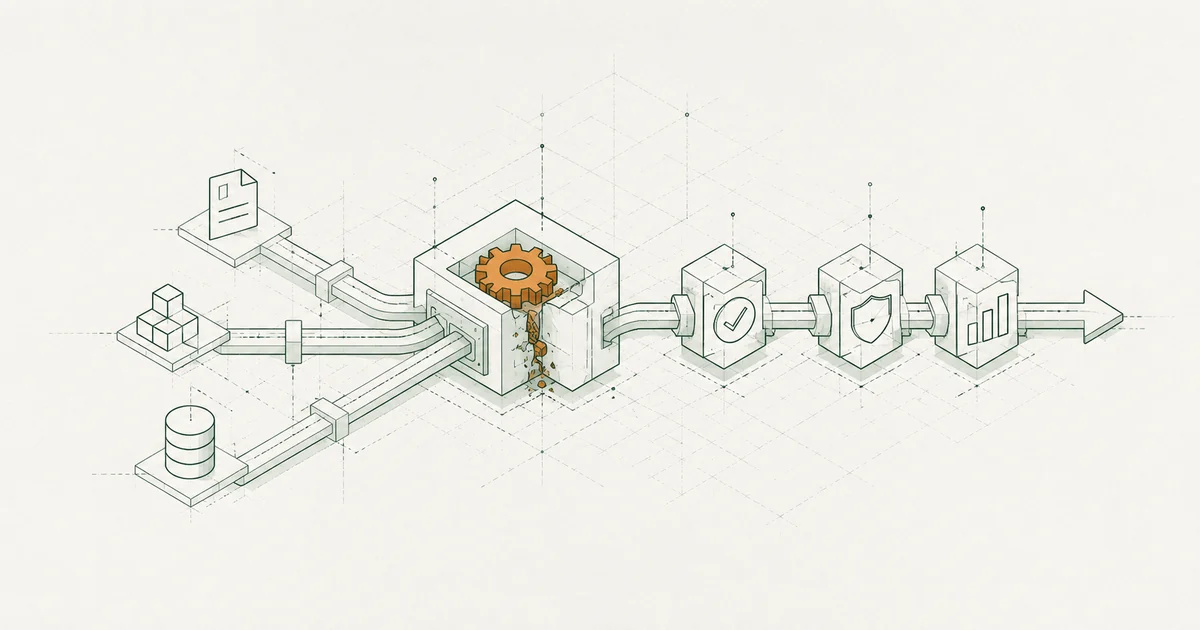
That shared inbox is carrying several different workflows at once. The consequences are practical: client invoices wait to be sent, supplier bills wait for approval, exceptions vanish into email, and senior staff become the fallback whenever the routing is unclear.
Is the problem headcount or the process?
Look at the last ten documents that needed rework. Record where each one stopped, who had to intervene, and what information was missing. The pattern usually falls into one of three categories:
1. Intake and validation
The firm does not reliably identify whether a document is a client invoice, a supplier bill, or something that belongs elsewhere. It may also lack the client, supplier, rate, project, or approval owner. This is an intake and classification problem. It is a good candidate for structured capture, validation rules, and automatic routing.
2. Approval and exception handling
The document is mostly correct, but a rate, purchase order, timesheet, scope detail, supplier, or payment term needs a decision. This is where invoice exception management matters. The system should show what failed, assign an owner, and retain the final decision instead of sending the issue back through a shared inbox.
3. Judgment and client decisions
Some work cannot be reduced to a rule. A consultant may need to decide whether a change is in scope, whether a client needs a credit, or whether a regulatory interpretation affects the engagement. That work should stay with a person. The goal is to remove the data movement around the decision, not to hide the decision inside an opaque automation.
If most rework is in the first two categories, hiring is treating a workflow problem as a capacity problem.
What does reliable automation look like?
Reliable automation makes the next action visible. Inputs are checked, state is recorded, and each item has a named owner and a durable history.
The opposite is familiar: hidden rules, screen scraping, and failed jobs that leave no useful explanation. A controlled workflow handles the repeatable checks and integrations, then sends the genuinely unusual cases to a person. The workflow automation work we deliver follows that pattern around the systems teams already use.
Which document work should be automated?
1. Ingestion and validation
Classify incoming documents, extract the relevant fields, validate formats, and reject incomplete inputs. The Invoice Data Extractor can sit at this boundary: it turns supplier invoices into a reviewable CSV before the record moves into approval and accounting.
2. Transformation and submission
Create a client invoice or bill record, route the right approval, update the accounting record, and store evidence. Automate the repeatable steps once the approval rules and exception owners are clear.
3. Judgment and exceptions
Scope changes, unusual client terms, disputed time, and exceptions are where your people are valuable.
The boundary is straightforward: automate the movement and checks that repeat; keep interpretation and client decisions with the team.
How can you tell if automation is reliable?
| Weak automation | Reliable automation |
|---|---|
| Hidden rules and screen scraping | Explicit rules and controlled integrations |
| A failed job disappears into an inbox | The failure is logged and assigned |
| Every exception becomes a manual hunt | Exceptions have a queue and an owner |
| No record of who changed the value | The decision and evidence are retained |
What does this look like in practice?
The same boundary appears in regulated work. In the EUDR Compliance Bridge case study, validation, submission state, returned identifiers, and failure handling are controlled by the system. The human team remains responsible for the judgement and exceptions around the submission.
How should a consultancy start?
Start with the workflow that creates the most rework. Measure hours spent on repeatable steps, invoice cycle time, approval delays, and exception rate. The consultancy automation audit helps identify which part of delivery is worth changing. For matching invoices to purchase orders and receipts, the three-way matching guide covers the control detail.
If the same steps recur across clients, bring one live workflow to our team. We can map the current process, identify the missing controls, and recommend the smallest useful build scope.
Want us to map one live finance or compliance workflow?
Bring one finance or compliance workflow. We will map the current process, find where controls are missing, and recommend the smallest useful build scope.